

Skip to content
Prosa Download on the App Store

Record and transcribe meetings

The meeting turns into text as it happens.

Record a meeting and follow the live transcript, with the name of who is speaking. Ask the AI in the middle of the conversation and get, at the end, the reviewed text and a summary.

Download on the App Store

For iPhone, iPad and Mac.
Recording and live transcription: no cost.

For people who need to remember

What was said, decided and agreed.

Made for people who spend the day in meetings and need to remember what was said, decided and agreed. It also works for a class, a talk or a group conversation.

  • Meetings

    The summary brings what was decided, what is still open and who said what, each item with the minute that supports it. Later, search all your conversations by word, by person or by date.

  • Classes and talks

    Add context: a text, a PDF or a photo of a page, read on the device itself. Ask the AI about what has been said, and listen again to any part from its block.

  • Interviews and podcasts

    Every voice with its name, and your vocabulary of names, acronyms and products in every new conversation, so the spelling comes out right. Export the transcript as Markdown, the audio as M4A and the data as JSON.

How it works

From the first line to the summary.

1 During the conversation

What is still open? Ask in the middle of the meeting.

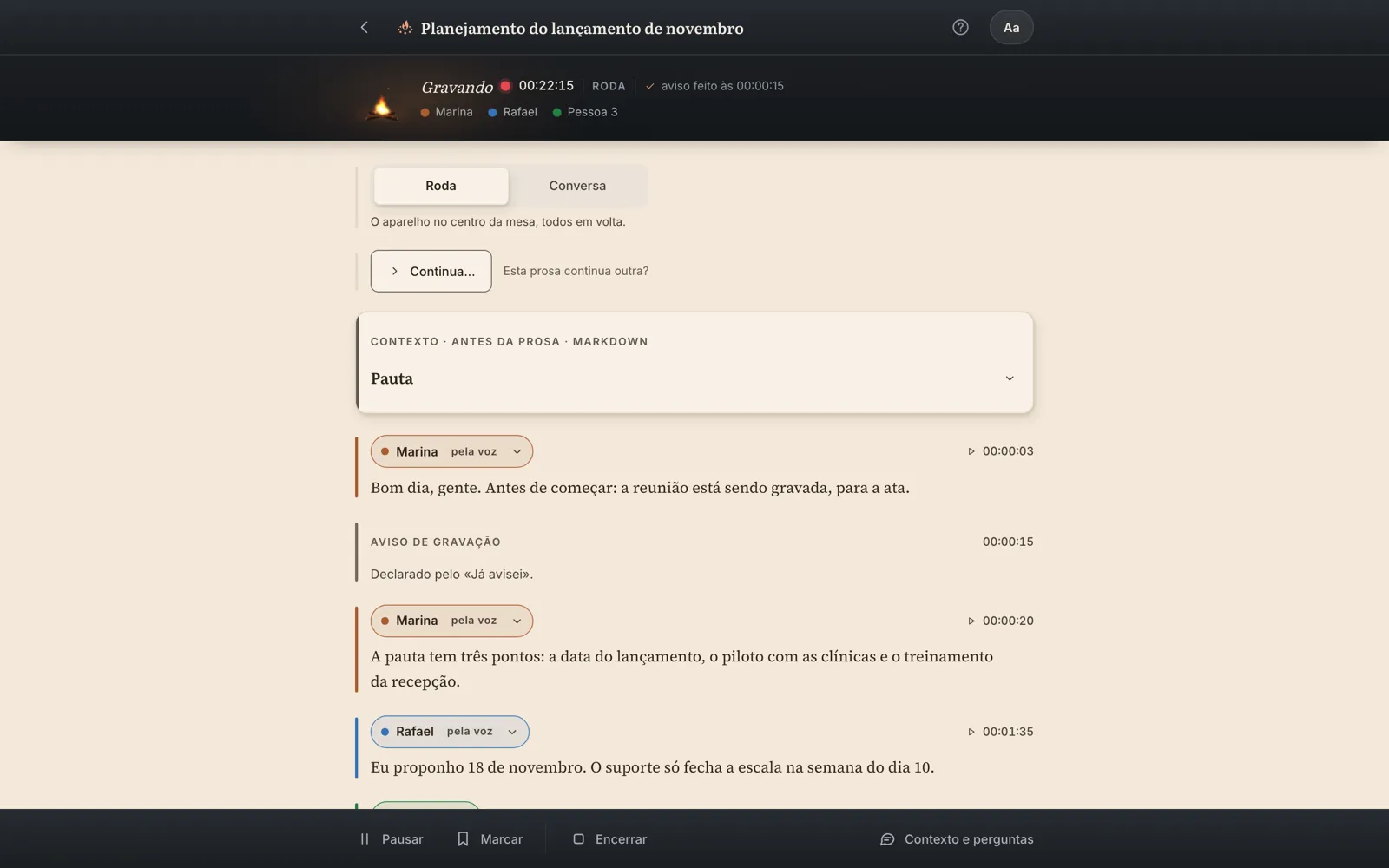
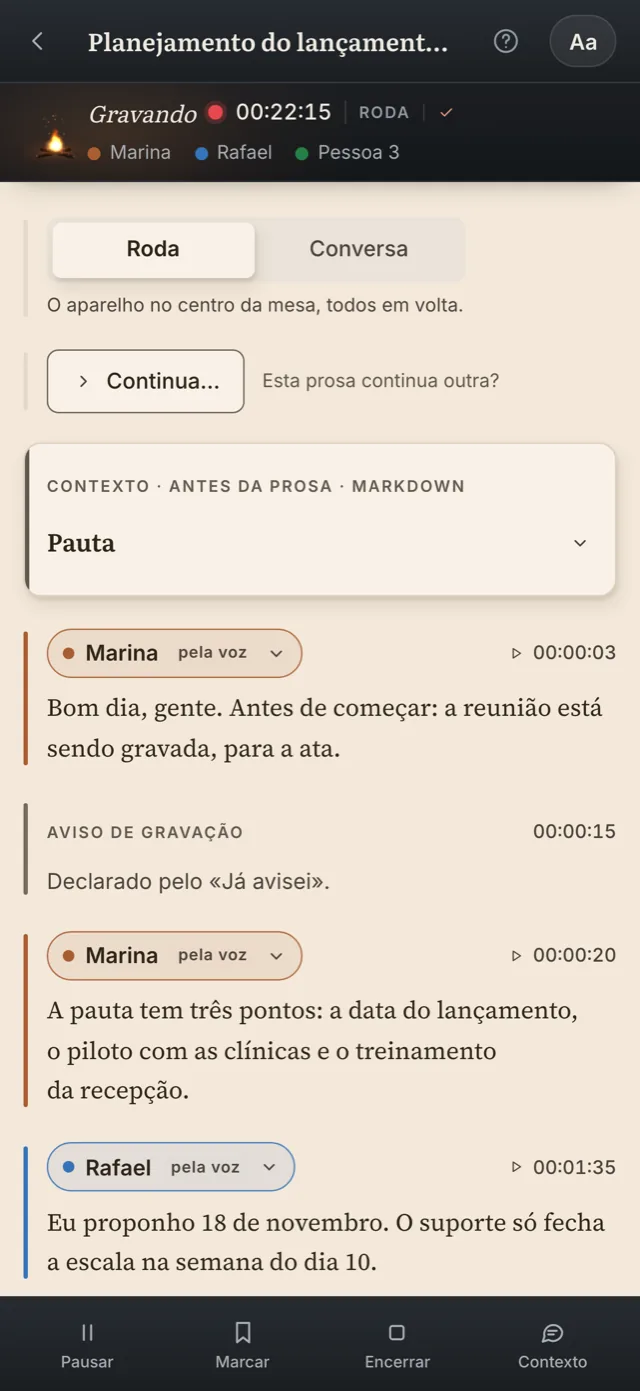
The transcript appears in blocks while people talk, made on the device itself, with the name of who said each thing.

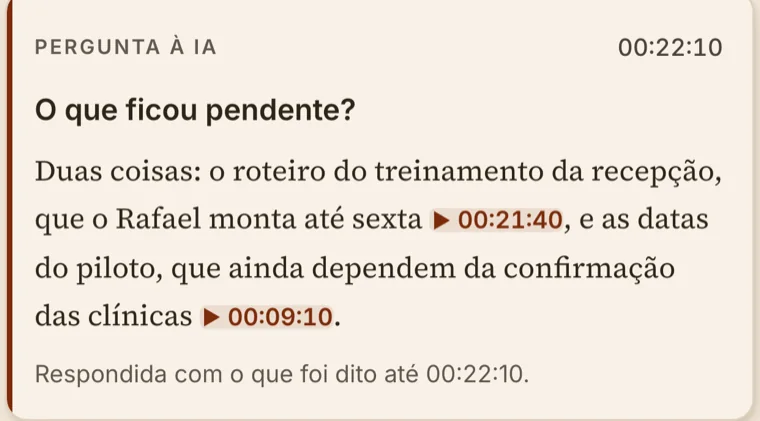
Ask the AI about what has been said: “what is still open?”, “where did we disagree?”. The answer cites the minute of each part, and a tap takes you there.
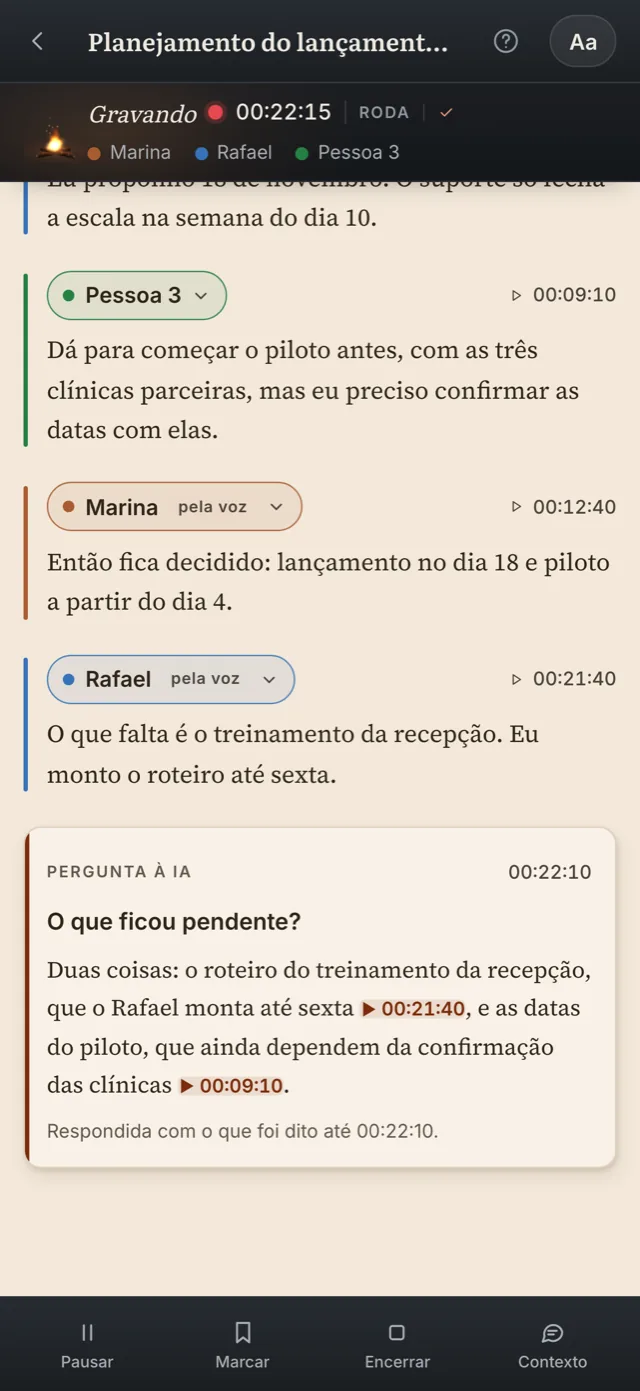
Prosa on an iPhone, in the middle of a meeting, with a question to the AI at the end of the transcript.
The answer cites the minute of each part A question to the AI: “What is still open?”. The answer cites two parts, each with its minute.
2 At the end, the finishing

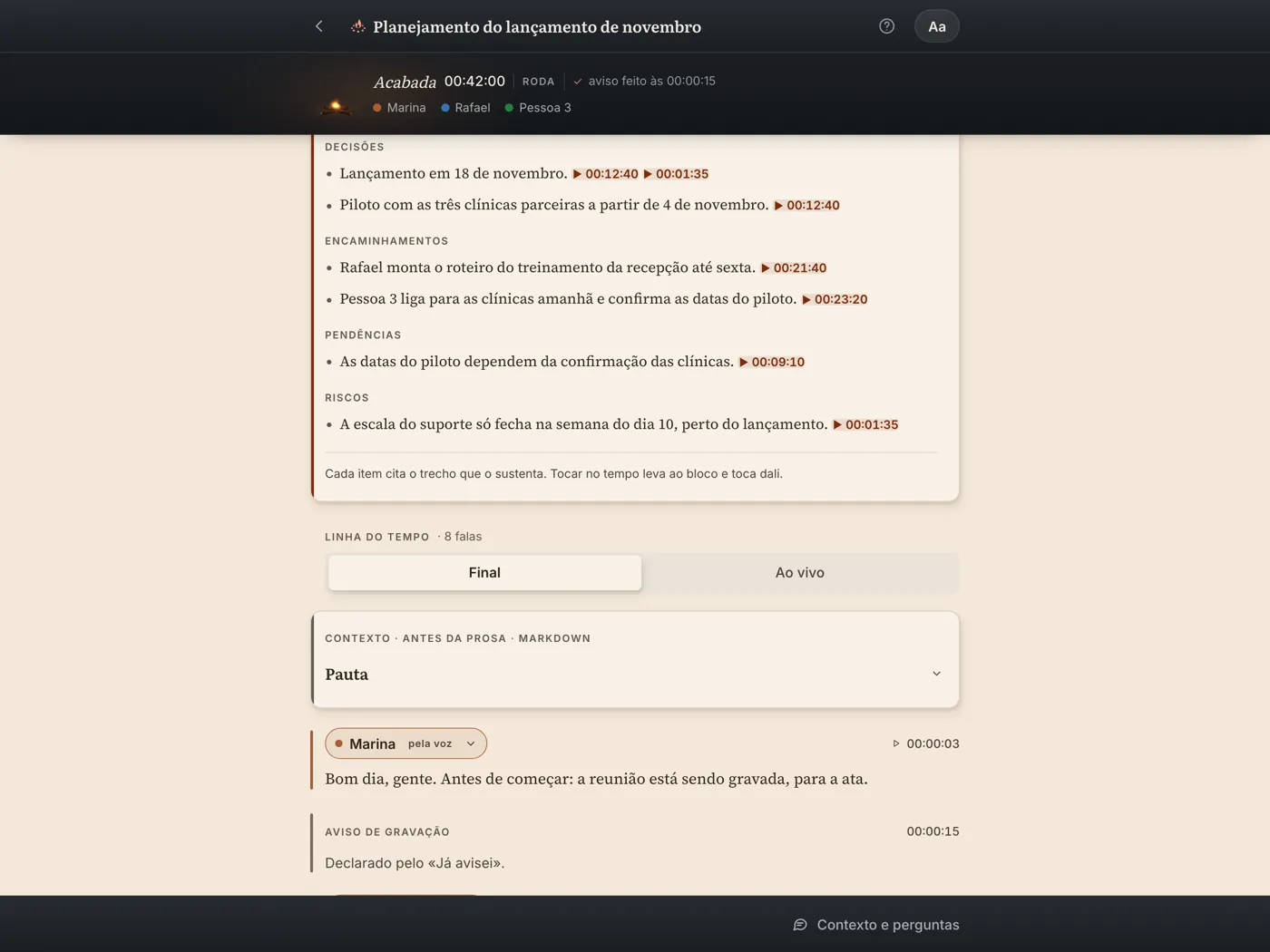
Decisions, open items and who said what.

The whole conversation is transcribed again by a larger model, in the cloud, and reviewed by an AI.

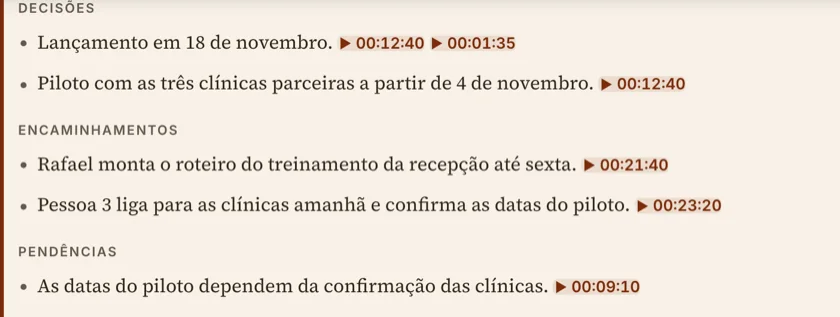
The summary brings what was decided, what is still open and who said what, each item with the minute that supports it. And the audio comes leveled as an MP3, to listen to or keep.

Prosa on an iPad with a finished meeting: the summary with decisions, next steps, open items and risks.
Each item with the minute that supports it

3 Overnight

Leave it charging. Ready in the morning.

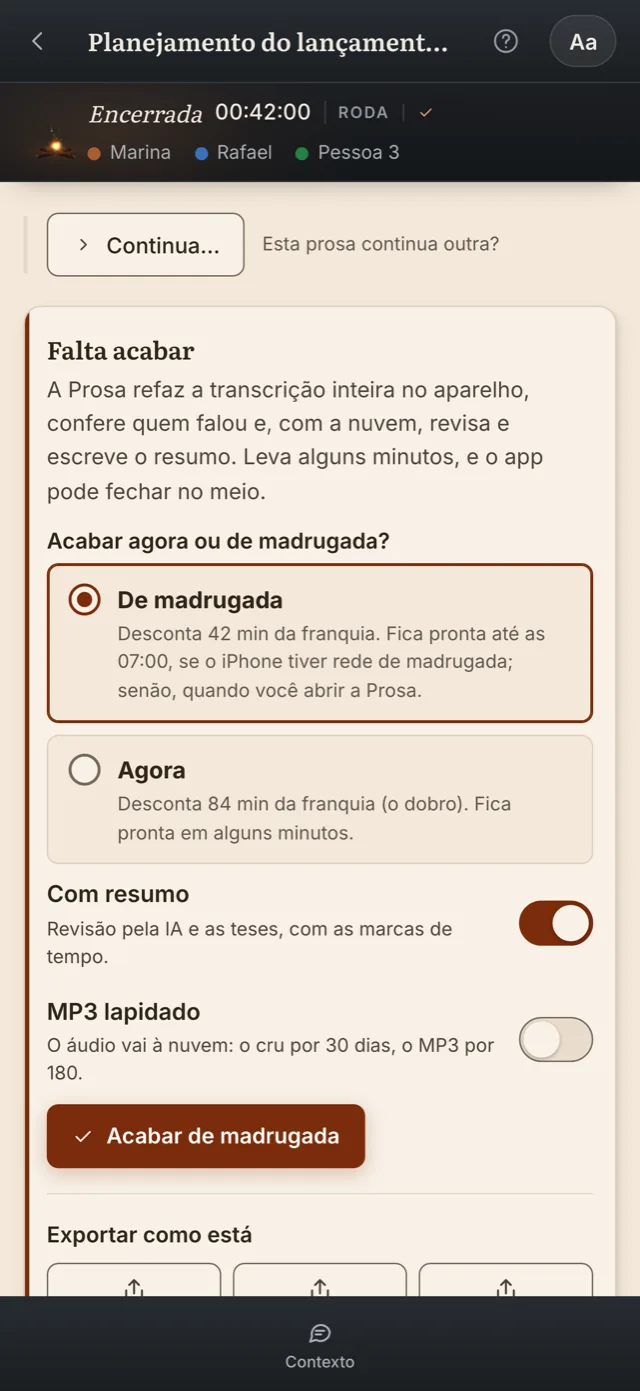
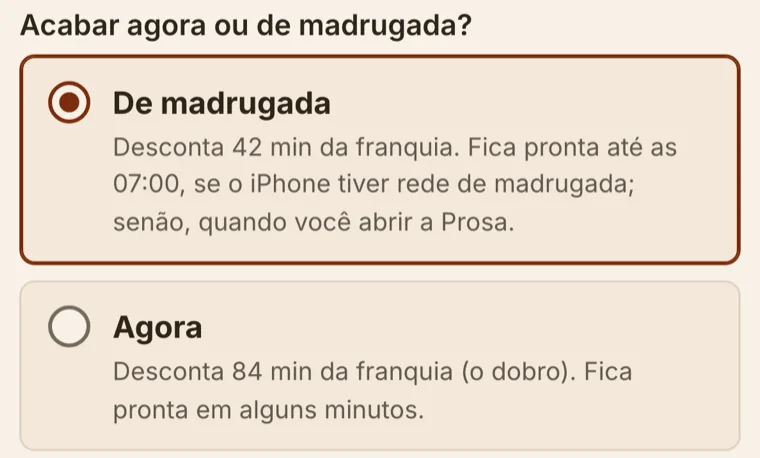
Finish right away or overnight. Leave the iPhone charging and the conversation is ready in the morning, using half the minutes.

How much each finishing takes is shown before you confirm, and if it fails, the minutes and the lumes come back.

Prosa on an iPhone, at the end of the meeting, with the choice between finishing now or overnight.
Overnight, half the minutes

Voices

Everyone with their own name.

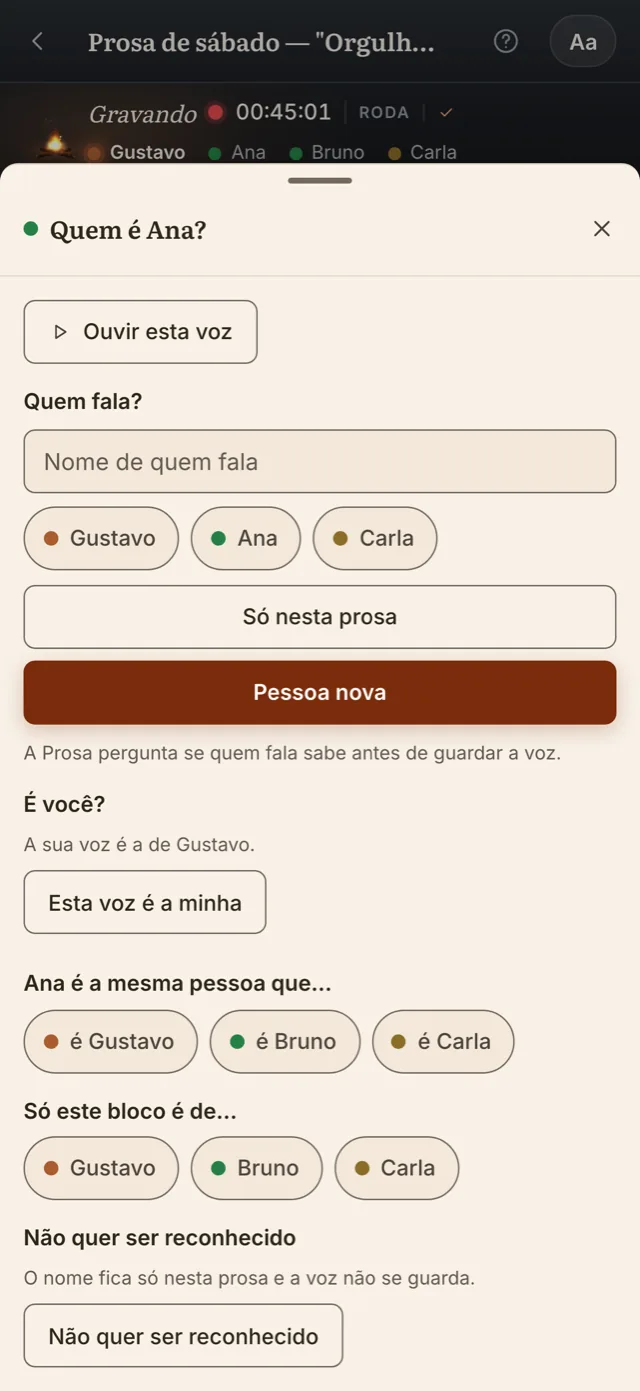
Give a voice a name. Next time, it is recognized.

Prosa tells the voices apart: Person 1, Person 2… until you give them a name. Whoever gets a name is recognized in the next conversations, and the recognition happens on the device.

Prosa on an iPhone asks whose voice it is: play the voice, give it a name, or say it is the same person from another conversation.

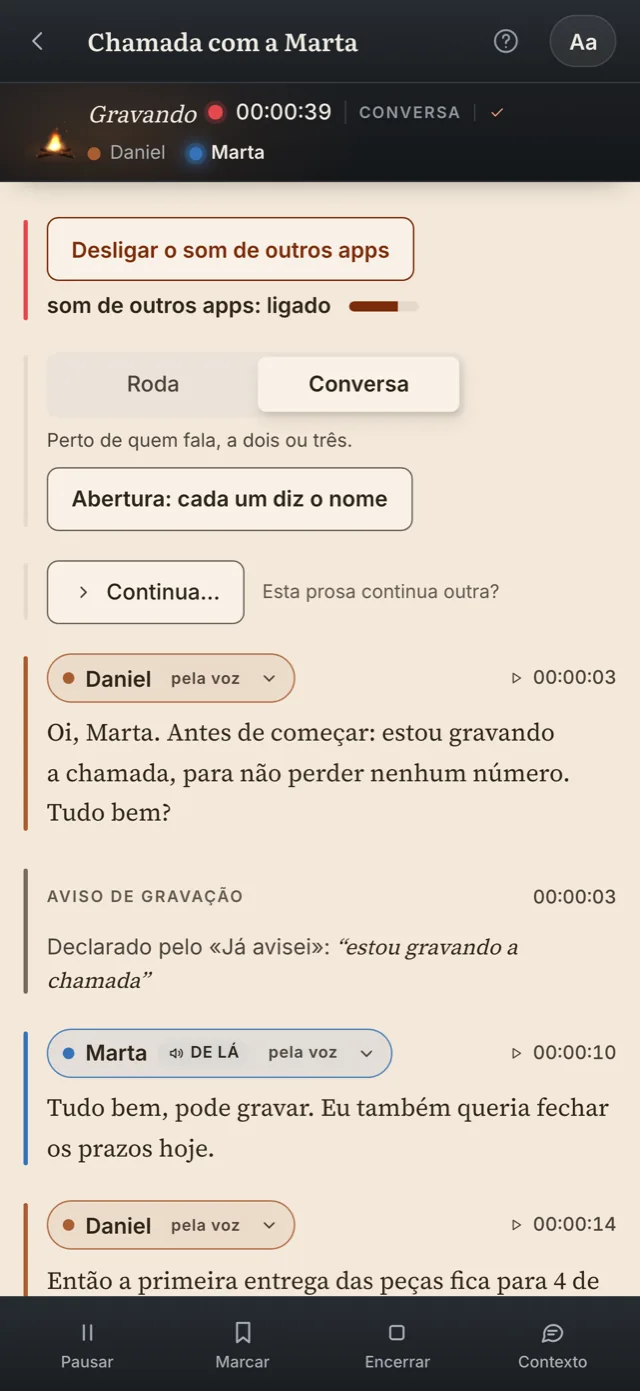
Also record the sound of a call.

Turn on sound from other apps and also record the call or the video playing on the device itself. The remote voice and yours, told apart.

Prosa on an iPhone recording a call, with sound from other apps turned on.
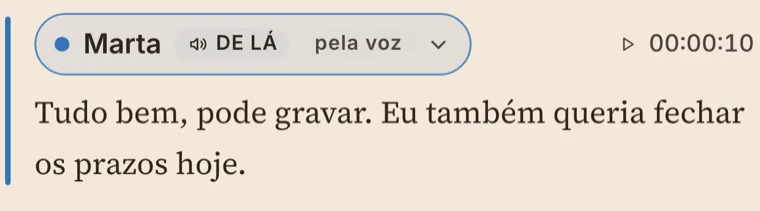
In the transcript, Marta’s line comes in marked “remote”.

Recording with respect

Everyone in the conversation needs to know.

Recording someone means that person has to know.

  1. Asks. On the first recording, Prosa asks you to tell everyone in the conversation.
  2. Listens. In the first minutes, it looks for that notice in the transcript.
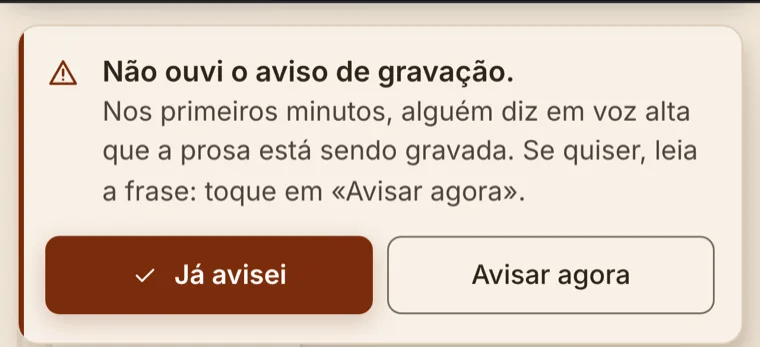
  3. Reminds. If the notice is missing, it reminds you with a sentence ready to read.

Recording is always in view on the screen. Someone’s voice is only kept to be recognized after you confirm that the person knows, and you can delete it whenever you want.

Prosa reminds you to tell people “I didn’t hear the recording notice. In the first few minutes, someone says aloud that the conversation is being recorded.” With the buttons “I’ve told them” and “Say it now”.

No cost and with a cost

What is free, and what you pay for.

No subscription, no cost

  • Record on iPhone, iPad and Mac, even with the screen locked.
  • See the live transcript, in blocks, made on the device itself.
  • Also record the sound of a call or a video playing on the device.
  • Tell the voices apart and give each one a name; whoever gets a name is recognized in the next conversations.
  • Listen again to any part, from its block.
  • Search your conversations by word, by person or by date.
  • Export the transcript as Markdown, the audio as M4A and the data as JSON.

With a cost: the finishing and questions to the AI

You choose how to pay.

Conversation plan

A monthly subscription, with a 7-day trial. Cancel anytime.

Finishing per month
1,200 minutes 20 hours overnight, or 10 hours right away, which counts double
Questions to the AI per month
up to 60 at most 30 a day
During the trial
120 minutes and 10 questions

Lume packs

With or without a subscription. Lumes don’t expire.

How much each finishing takes is shown before you confirm, and if it fails, the minutes and the lumes come back. The price is what the App Store shows before you confirm. The details are in the terms of use.

Your data

The cloud is your choice, conversation by conversation.

  • No ads and no tracking

    Prosa shows no ads and doesn’t track you.

  • On the device

    The live transcript and voice recognition happen on the device.

  • The cloud, only if you want it

    The cloud is turned on per conversation, before recording, and only after you allow AI from other companies.

  • Encrypted audio, with a deadline

    With the cloud, the audio goes encrypted to Prosa’s cloud, on AWS: the original is gone in 30 days and the MP3 in 180, and you can delete it sooner.

  • Anthropic’s AI

    Questions, review and summary use Anthropic’s AI. Nothing you record is used to train artificial intelligence.

  • The voiceprint

    A voiceprint never goes to an AI provider. Delete a conversation, or the account, from the app.

Read the full privacy policy

Record your next conversation.

For iPhone, iPad and Mac.
Recording and live transcription: no cost.

Download on the App Store